I Was Tired of My Backend Falling Asleep. A Cron Job Fixed It.
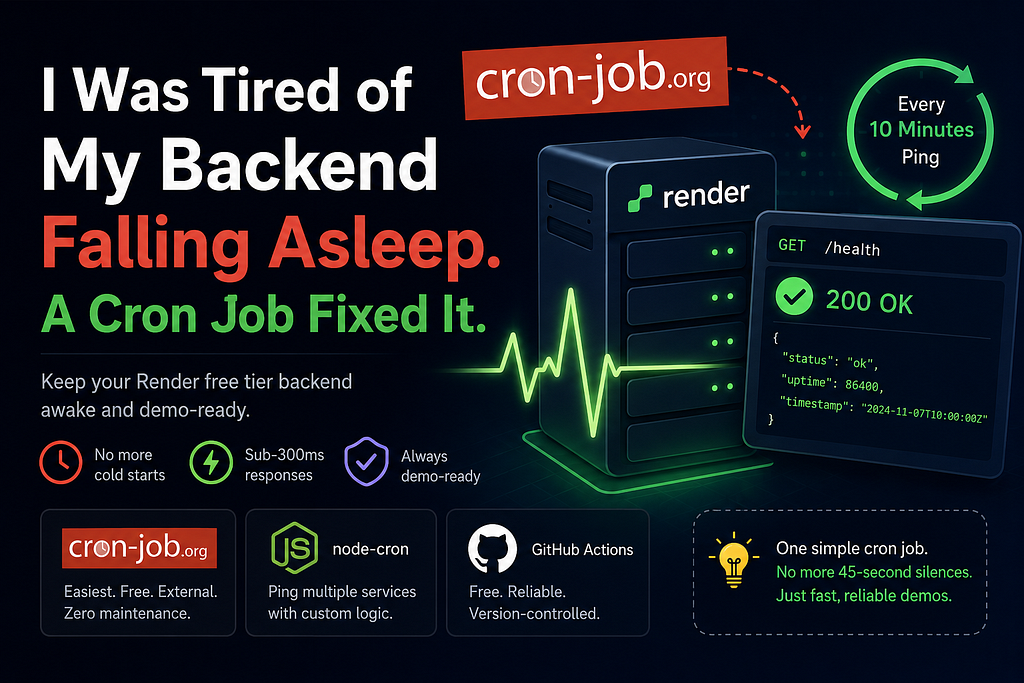
You know that feeling when you share your project with someone and they click the demo link — and then you both just sit there, watching a loading spinner for 45 seconds?
Yeah. That’s Render’s free tier doing its thing.
I host several of my backend services on Render’s free plan. It’s great zero cost, easy deploys, decent enough for portfolio projects. But there’s one brutal catch: if your server receives no traffic for 15 minutes, Render spins it down. The next request that hits it has to wait for a cold start. And that cold start? Easily 30–60 seconds.
For a portfolio demo, that’s an eternity. Interviewers, recruiters, people you’re trying to impress none of them are going to sit and wait for your “fast” backend to wake up.
So I fixed it with a cron job. Here’s exactly how.
Why Does This Even Happen?
Render’s free tier uses what they call “spin down on idle.” When no requests hit your web service for 15 minutes, it gets paused to free up compute resources. Makes sense from their side — they can’t keep thousands of free services running 24/7 for nothing.
But from a developer perspective? Your first request after idle wakes the server from cold storage. Node.js has to start, your app has to initialize, database connections have to be re-established. The whole chain. That’s where the delay comes from.
Lesson: This isn’t a bug — it’s a deliberate feature of the free tier. The fix isn’t to fight Render, it’s to make sure your server never actually goes idle.
The Fix: Ping Your Own Server
The solution is embarrassingly simple: hit your own backend with a request every 10 minutes.
If the server gets a request at least once every 14 minutes, Render never considers it idle. It never spins down. No cold starts. No awkward silences in demos.
Here’s the endpoint I add to every backend I want to keep alive — a simple health check route:
// Express.js
app.get('/health', (req, res) => {
  res.status(200).json({ status: 'ok', timestamp: new Date().toISOString() });
});
That’s it. One route. Now I just need something to call it on a schedule.
Option 1: cron-job.org (What I Actually Use)
The easiest way is to use a free external cron service. I use cron-job.org — it’s completely free, no credit card, and it lets you schedule HTTP requests to any URL.
Setup takes about 2 minutes:
- Create a free account at cron-job.org
- Click “Create cronjob”
- Set the URL to your Render backend’s health check: https://your-app.onrender.com/health
- Set the schedule to every 10 minutes
- Save it
Done. cron-job.org will ping your backend every 10 minutes from their servers, keeping it permanently awake.
You also get a request history log, so you can see every ping and whether it succeeded. Genuinely useful for knowing your backend is actually up.
Lesson: Use an external service to do the pinging, not a cron job running inside your own app. If your app is asleep, an internal cron job is asleep too — it can’t wake itself up. The ping needs to come from outside.
Option 2: A Cron Job in a Separate Always-On Service
If you want more control — or you’re already running a small always-on service somewhere — you can do this in Node.js using node-cron.
I use this approach in projects where I have a separate lightweight service that stays awake (or runs locally during dev).
npm install node-cron node-fetchimport cron from 'node-cron';
import fetch from 'node-fetch';
const SERVICES_TO_PING = [
'https://skillbridge-api.onrender.com/health',
'https://pulsechat-api.onrender.com/health',
];
cron.schedule('*/10 * * * *', async () => {
console.log(`[${new Date().toISOString()}] Pinging services...`);
for (const url of SERVICES_TO_PING) {
try {
const res = await fetch(url);
console.log(`✅ ${url} — ${res.status}`);
} catch (err) {
console.error(`❌ ${url} — FAILED: ${err.message}`);
}
}
});
console.log('Keep-alive service running. Pinging every 10 minutes.');This is nice because you can ping multiple backends at once from a single place. I keep a list of all my Render services and ping them all in one job.
Option 3: GitHub Actions (Free, Reliable, Zero Setup)
This one’s underrated. GitHub Actions has a schedule trigger that uses cron syntax, and it runs on GitHub's infrastructure — always on, always free (within the generous free-tier limits).
Create a file at .github/workflows/keep-alive.yml in any of your repos:
name: Keep Backend Alive

on:
  schedule:
    - cron: '*/10 * * * *'
  workflow_dispatch: # lets you trigger it manually too

jobs:
  ping:
    runs-on: ubuntu-latest
    steps:
      - name: Ping Render backend
        run: |
          curl --fail https://your-app.onrender.com/health
          echo "Pinged at $(date)"
Push it to GitHub and that’s it. GitHub will run that workflow every 10 minutes, hitting your backend and keeping it warm. You can check the Actions tab to see every run.
Lesson: GitHub Actions schedules aren’t always perfectly on-time — there can be a few minutes of delay during high load on GitHub’s end. For most cases it’s fine. But if you need precision, go with cron-job.org.
What I Actually Do
For my projects, I combine two things:
- cron-job.org — for every deployed Render backend. Set it once, forget it. It runs from cron-job.org’s servers so it’s independent of anything I control.
- A /health route on every backend — this is a habit now. Every Express app I build gets a health route on day one. It's useful beyond just keep-alive pings: load balancers, uptime monitors, and CI checks all love a clean health endpoint.
app.get('/health', (req, res) => {
  res.status(200).json({
    status: 'ok',
    service: 'skillbridge-api',
    uptime: process.uptime(),
    timestamp: new Date().toISOString(),
  });
});
Adding uptime in the response is a nice touch — you can tell at a glance whether the server just woke up (uptime near zero) or has been running for a while.
Does This Work?
100%. My backends on Render’s free tier now respond in under 300ms consistently because they’re never cold. The demo experience went from embarrassing to actually impressive.
It’s one of those tiny fixes that has a disproportionate impact on how polished your project feels.
Quick Summary
Quick Summary
cron-job.org — Easiest option. Free, external, zero maintenance. Just set a URL and a schedule and forget about it.
node-cron in Node.js — Best when you need to ping multiple services at once or want custom logic around your pings.
GitHub Actions — Great if you want it version-controlled and already use GitHub. Slightly less precise on timing but works well.
Pick whichever fits your setup. Personally, I start with cron-job.org and only reach for the others when I need more control.
No more cold starts. No more awkward demo moments. Your backend deserves better than 45 seconds of silence.
Found this useful? Drop a clap 👏 it actually helps. I write about the real stuff I run into while building. Follow along at medium.com/@akildikshan01.
~Akil Dikshan~